Vibe coding is changing what a one-person business can build without hiring a full development team.
A few years ago, creating a custom dashboard, pricing calculator, customer portal, or internal business tool usually meant learning programming, subscribing to several no-code services, or hiring a developer.
AI coding tools have created another option.
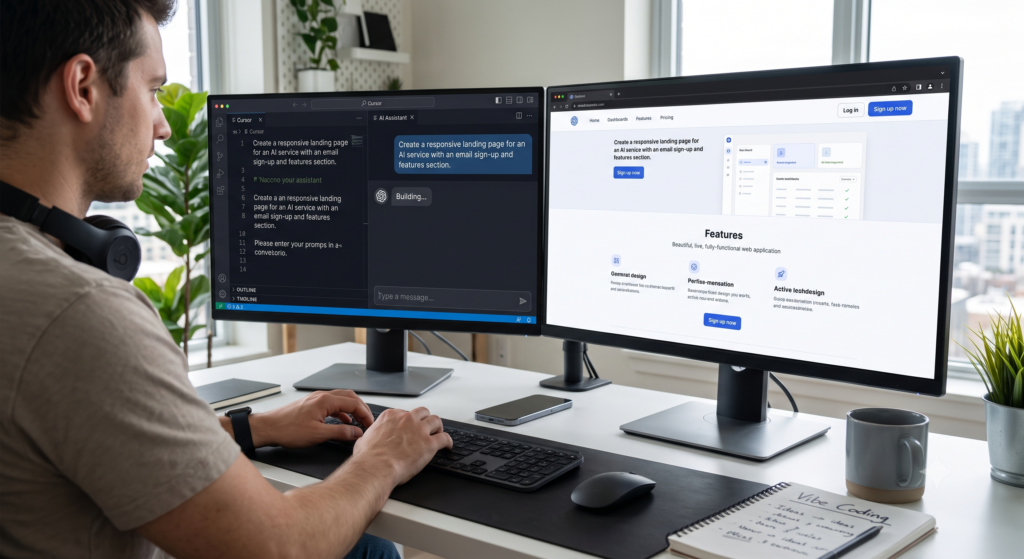
Instead of writing every line of code yourself, you describe what you want in natural language, review what the AI creates, test it, and continue refining the application through conversation.
For solopreneurs, that can dramatically lower the barrier between having an idea and testing whether it actually works.
But there is an important distinction.
Vibe coding makes prototyping and simple software development easier. It does not make software engineering risk-free.
The best way to use it is to let AI accelerate the building process while keeping human control over security, customer data, payments, and important business decisions.
What Is Vibe Coding?
Vibe coding is an AI-assisted development approach in which you describe the application or feature you want and allow an AI coding system to generate much of the underlying code.
Instead of starting with JavaScript, Python, database schemas, or CSS, you might start with a request such as:
Create a simple profit calculator for an online seller. Let the user enter product cost, marketplace commission, advertising cost, shipping cost, and selling price. Show the expected profit and profit margin. Make it mobile-friendly.
The AI can then create the interface and business logic.
You review the result and continue with instructions such as:
Add a currency selector for USD, EUR, JPY, and KRW. Do not change the existing calculation formula. Add an explanation underneath the result showing how the profit was calculated.
This is why vibe coding is particularly attractive to solopreneurs.
You do not need to become a professional programmer before testing a useful business idea.
You do, however, need to understand what the application is supposed to do.
What Can a Solopreneur Actually Build?
The strongest use cases are usually small, clearly defined applications that solve a specific business problem.
| Business Need | Vibe Coding Example | Good Starting Project? |
|---|---|---|
| E-commerce | Profit and marketplace fee calculator | Excellent |
| Marketing | Campaign landing page | Excellent |
| Sales | Customer quote calculator | Good |
| Operations | Inventory or order dashboard | Good |
| Research | Data-cleaning utility | Good |
| Customer service | Simple intake or request form | Good |
| Internal workflow | Supplier comparison dashboard | Excellent |
| Payments | Full checkout system | Advanced |
| Customer accounts | Authentication and private data | Advanced |
| Financial systems | Accounting or payment infrastructure | Developer review recommended |
The important point is that you do not have to build the next Shopify.
A five-minute internal tool that eliminates a repetitive spreadsheet task can be more valuable to a solo business than an ambitious public application.
1. Build Custom Business Calculators
Calculators are one of the easiest places for a non-technical business owner to start.
Imagine an online seller importing products from overseas.
The final profit depends on product cost, international shipping, marketplace commission, advertising cost, payment fees, exchange rates, discounts, and return rates.
Most sellers calculate this repeatedly in spreadsheets.
With vibe coding, the same logic can become a small web application tailored to the business.
The owner can enter the assumptions and instantly compare different selling prices.
This does not require replacing the accounting system.
It simply turns a repetitive calculation into a faster internal tool.
That is where vibe coding can generate immediate value.
2. Test Product Ideas With Landing Pages
Hiring a developer before knowing whether customers want your idea is expensive.
Vibe coding can reverse that process.
A solopreneur can create a simple landing page first, explain the product, add an email form or inquiry button, and measure customer interest.
If nobody responds, the idea can be changed without having invested heavily in custom development.
If customers respond positively, the prototype can be improved or eventually rebuilt with professional engineering support.
This makes vibe coding especially useful for validation before investment.
The goal is not necessarily to replace a developer.
The goal is to avoid paying for a large development project before you know whether the idea deserves one.
3. Create Small Internal Business Tools
Internal tools may be the most practical opportunity for solopreneurs.
A one-person business often operates through a collection of spreadsheets, browser tabs, marketplace dashboards, notes, and manual calculations.
A small custom application can combine some of these processes.
For example, a seller could create a dashboard that compares supplier prices, expected marketplace fees, shipping costs, and target margins.
Another business might create a customer inquiry form that automatically organizes incoming requests by service type.
A content creator could build a tool for organizing article ideas, status, publication dates, and monetization opportunities.
None of these projects needs millions of users.
They only need to save the owner time.
If you are already using several AI tools for daily operations, this approach also fits naturally into a broader solopreneur AI workflow rather than treating coding as a separate technical activity.
4. Clean and Transform Business Data
A surprisingly useful vibe coding project does not need a beautiful interface at all.
Many small businesses receive poorly formatted CSV or spreadsheet files from suppliers, marketplaces, logistics companies, and advertising platforms.
Columns have different names.
Dates use different formats.
Product SKUs do not match.
Prices contain different currencies.
An AI coding agent can help create a small script that transforms those files into one consistent format.
For a developer, this may be a relatively simple project.
For a non-programmer, however, automating a task that previously required an hour every week can provide meaningful value.
This is an important mindset shift.
Vibe coding is not only about launching apps. It can also eliminate boring operational work.
Vibe Coding vs. Hiring a Developer
Vibe coding and professional development should not be treated as complete opposites.
They are better suited to different stages of a project.
| Situation | Vibe Coding | Professional Developer |
|---|---|---|
| Testing an idea | Excellent | Often unnecessary initially |
| Simple internal calculator | Excellent | Optional |
| Landing page | Excellent | Optional |
| Small internal dashboard | Good | Sometimes |
| Complex integrations | Possible | Recommended |
| Customer authentication | Possible | Review recommended |
| Handling sensitive customer data | Higher risk | Recommended |
| Payment infrastructure | Higher risk | Strongly recommended |
| Large production application | Limited without expertise | Recommended |
| Security-critical application | Poor solo starting point | Required |
The biggest advantage of vibe coding is speed of experimentation.
The biggest advantage of a professional developer is engineering judgment.
A developer understands not only how to make a feature work, but also how architecture, authentication, databases, scaling, testing, backups, permissions, and security interact.
A sensible solopreneur uses each approach where it makes economic sense.
The Hidden Cost of Vibe Coding
Vibe coding is cheaper than many custom development projects, but it is not free.
AI tools may require subscriptions or usage credits. Hosting can cost money. APIs can generate usage charges. Databases and authentication services can eventually move from free tiers to paid plans.
There is also another cost that is frequently ignored: your time.
Generating the first version of an application can be fast.
Turning that prototype into something reliable may require considerably more work.
You may spend time fixing layouts, testing mobile screens, changing database structures, debugging integrations, or undoing an AI-generated modification that broke something that previously worked.
Therefore, compare the total cost rather than simply comparing an AI subscription with a developer’s hourly rate.
A $20 or $50 tool is inexpensive.
Twenty hours spent repairing an unnecessary project is not.
The Biggest Risk: AI-Generated Code Still Needs Review
This is where many discussions about vibe coding become unrealistic.
Working software is not automatically secure software.
OWASP’s guidance for AI-assisted coding highlights risks involving AI-suggested dependencies, outdated packages, excessive agent permissions, exposed credentials, prompt injection, and unreviewed AI-generated changes.
This matters even more as coding agents become capable of installing packages, modifying multiple files, running terminal commands, connecting to external services, and deploying applications.
For a solopreneur, the rule should be simple:
The more sensitive the application, the less you should rely on blind AI automation.
A public calculator containing no private information is one thing.
An application containing customer passwords, payment information, private contracts, API keys, or personal information is completely different.
Keep secrets such as API keys outside your source code. Review every service the application connects to. Verify dependencies before installing them. Test authentication and permissions. Maintain backups. Keep a copy of the code in version control.
And never assume that an application is secure simply because it works.
Start With a Low-Risk Project
The best first vibe coding project is small enough that failure does not damage your business.
Do not begin by rebuilding your entire e-commerce operation.
Start with something you already understand.
For example, create a calculator that reproduces a spreadsheet you currently use.
Because you already know what the correct results should be, you can compare the AI-generated application against your existing calculations.
Once that works reliably, you can try a slightly more complicated project.
This incremental approach also teaches an important skill: describing business logic precisely.
The quality of the result depends heavily on how clearly you can explain what you want.
A Better Prompt for Vibe Coding
Instead of writing:
Build me a sales dashboard.
Give the AI the business rules.
A stronger instruction would be:
Build a mobile-friendly sales dashboard for a one-person online store. The dashboard should show monthly revenue, product cost, advertising cost, marketplace fees, shipping cost, refunds, and estimated operating profit. Do not create login or payment features. Use sample data first. Show the calculation formula clearly so I can verify it before connecting real data.
This gives the coding agent boundaries.
It defines the user.
It defines the required information.
It defines what should not be built.
And most importantly, it keeps the first version away from sensitive production data.
Good vibe coding is not about giving AI unlimited freedom.
It is about giving AI a well-defined problem.
Vibe Coding Is Best Used as a Business Experiment
The most useful question is not:
Can AI build this?
The better question is:
Is this problem worth building software for?
Solopreneurs have limited time.
Building applications can quickly become another form of procrastination if the tool does not save time, increase revenue, improve customer experience, or reduce operating costs.
Before starting a project, identify the manual task you want to replace.
Estimate how frequently you perform it.
Then decide whether automation would produce measurable value.
If a task takes five minutes once a month, building a custom application may be unnecessary.
If a repetitive process takes an hour every day, the economics can be very different.
Frequently Asked Questions
Do I need coding experience to use vibe coding?
Not necessarily. Natural-language development tools have made it possible for non-developers to create functional web applications and internal tools. However, technical knowledge becomes increasingly important as projects involve databases, authentication, APIs, customer data, or production infrastructure.
What is the best vibe coding project for a beginner?
Start with a low-risk internal tool such as a calculator, dashboard, data formatter, or simple landing page. Ideally, choose a process you already perform manually so you can easily check whether the AI-generated result is correct.
Can vibe coding replace a developer?
For small prototypes and internal tools, it can reduce the need to hire a developer immediately. For complex production applications, security-sensitive systems, large databases, payments, or critical customer data, professional engineering expertise remains valuable.
Can I build a real business application with vibe coding?
Yes. Modern AI development platforms can generate frontends, backends, databases, integrations, and deployable applications. But moving from a working prototype to a reliable production application requires testing, security review, monitoring, and maintenance.
Is vibe coding safe?
It can be appropriate for low-risk projects when proper precautions are used. AI-generated code should still be reviewed and tested. Applications involving authentication, customer information, payments, confidential business information, or production credentials require much stricter controls.
Which vibe coding tools are suitable for solopreneurs?
Browser-based platforms such as Lovable are designed to turn natural-language instructions into working web applications and can be easier for beginners. More advanced coding agents and development envir